




Here’s the truth: hardly any ‘chat apps’ are left on the market. Today’s corporate messengers are not just about communication anymore. With businesses seeking to streamline operations and enhance team collaboration, the demand for efficient tools like group communication apps has soared. As business needs have evolved, group chat apps have become powerful collaboration tools.
But with so many platforms offering different features, finding the right one for your team isn’t always straightforward. To help you narrow down your options, we’ve put together a list of 19 team chat apps, each with its own strengths and use cases.
Here are the tools we’ll cover:
- Chanty is a simple team chat with an intuitive and easy-to-use interface and unlimited message history in a free plan. Give it a try if you want to make your team communication simple and effective.
- Brosix IM is an enterprise IM service specializing in team communication solutions.
- Slack is the safe bet for those who are ready to part with a round sum of money for unlimited 2400+ integrations and other popular features.
- Microsoft Teams is a solid, but not the simplest tool on this list. Explore it if you are not afraid of challenges in deployment and team administration.
- Adopt ProofHub if your business team is mainly interested in a project management tool along with a communication app.
- Twist offers a more organized, thread-based messaging system that can be a great fit for teams looking to keep conversations clear and structured.
- Explore Google Chat if you are interested in deep integrations with Google Workplace tools. This recently released team chat tool has many features to come.
- Rocket. Chat is an open-source tool that tech-savvy users may find quite beneficial.
- Flock seems like a well-maid Slack alternative; however, its Freemium version is restricted with a 10K message history limit.
- Ryver is suitable for bigger teams, as it charges per team, not per user. Try it if you like putting Slack and Trello into a single tool.
- Pumble enables you to communicate with your teammates in public or private channels and one-on-one conversations.
- Zoho Cliq is a flexible, feature-rich team communication application that integrates with other Zoho applications. It’s a great option for organizations already using the Zoho suite of tools.
- Mattermost is a robust open-source alternative that’s ideal for teams with specific security or customization requirements. It offers both on-premises and cloud-based deployment options.
- Signal is the go-to choice for teams that value security and privacy. With end-to-end encryption and a commitment to data protection, Signal keeps your messages safe and secure while providing text, voice, and video chat options.
- Discord is a versatile chat tool originally designed for gamers but now widely used by communities and teams. It features customizable servers, voice and video calls, and integrations, making it suitable for dynamic team collaboration.
- Snapchat may not be the most professional option, but it can be an engaging tool for creative teams. Its multimedia sharing and ephemeral content features add a fun, spontaneous element to communication.
- Beeper consolidates multiple messaging apps into one convenient interface. Manage conversations from platforms like iMessage, WhatsApp, and Slack without switching between apps. Ideal for users juggling multiple communication channels.
- Element is an open-source platform built on the Matrix protocol, offering secure, decentralized communication. It’s great for teams that want complete control over their communication infrastructure while maintaining top-tier encryption.
- Wire is designed for business collaboration with a strong emphasis on security. Its end-to-end encryption and professional features make it a reliable option for organizations needing secure, structured communication.
The chatting apps now mix team chats, audio/video calls, file sharing, and integrations with third-party apps. In practice, they function as complete work hubs designed to satisfy different business needs. From startups to large organizations, group chat platforms enable seamless communication and improved workflows, becoming an essential part of modern workplaces.
As a result, some businesses turn to web application companies to get corporate team chat apps tailored to their specific needs and requirements.
Chatting apps in the business world
In recent years, many new chatting apps have entered the market, offering alternatives to traditional communication tools. With so many options available, businesses can choose from simple messaging platforms, feature-rich collaboration tools, and apps that combine communication with project management.
At Chanty, we love exploring team chat apps. Learning about different features from our colleagues-slash-competitors helps us improve our own app. We’ve already shared comprehensive feedback on the most popular Slack alternatives and reviewed a wide range of team communication tools.
In this article, we’ll look at group chat apps, focus on their standout features, and share our opinions on their pros and cons. Each review contains a ‘Will this tool serve me?’ section to help you choose the app that best aligns with your business needs.
If the freemium plan is all you’re looking for, take a closer look at the comparison table we’ve created below.
What are the best chat apps?
| App | Best suited to | What makes it stand out | What to keep in mind |
|---|---|---|---|
| Chanty | Everyday team communication | Turn messages into tasks and keep work organized | Check whether the available integrations fit your workflow |
| Brosix | Private business messaging | Manage your team’s communication in a controlled network | Explore the desktop and mobile features before choosing |
| Slack | Teams that rely on third-party integrations | Thousands of integrations, channels, and workflows | Check the pricing and message history limits |
| Microsoft Teams | Businesses using Microsoft 365 | Combines team chat with Microsoft’s collaboration tools | Deployment and administration may take some getting used to |
| ProofHub | Teams looking for project management and communication in one place | Project discussions, planning, and proofing | Might be more than you need if you’re only looking for a chat app |
| Twist | Teams that prefer asynchronous communication | Organized, topic-based conversations | Your team needs to get used to a different messaging style |
| Google Chat | Businesses using Google Workspace | Integrates with Google’s productivity tools | Some features depend on your Workspace plan |
| Rocket.Chat | Tech-savvy teams looking for customization | Open-source platform with self-hosted options | Requires technical knowledge to manage and maintain |
| Flock | Teams looking for chat and basic productivity features | Shared to-dos, polls, and team messaging | Check whether its task management features meet your needs |
| Ryver | Teams combining chat and task management | Brings team conversations and task boards together | Make sure the interface works for your team’s daily routine |
| Pumble | Teams looking for free team messaging | Unlimited message history on its free plan | Check the available calling and integration features |
| Zoho Cliq | Businesses already using Zoho apps | Connects team communication with the Zoho ecosystem | Some capabilities depend on your subscription |
| Mattermost | Technical teams with specific security requirements | Open-source messaging with self-hosted options | You’ll need to consider deployment and maintenance |
| Signal | Teams prioritizing private conversations | End-to-end encrypted messaging and calls | Lacks the administration features of dedicated business chat apps |
| Discord | Communities and teams that rely on voice communication | Flexible text and voice channels | Business administration features may be limited |
| Snapchat | Informal communication and visual content sharing | Photos, videos, and disappearing messages | Not the best choice for structured business communication |
| Beeper | People managing multiple messaging services | Combines conversations from different platforms in one inbox | Doesn’t provide centralized company administration |
| Element | Organizations interested in decentralized communication | Built on the Matrix protocol with deployment flexibility | Requires decisions about hosting and identity management |
| Wire | Businesses looking for secure communication | End-to-end encrypted messaging and calls | Check its integrations and deployment options before committing |
What should your team chat app help you do?
Before choosing a team chat app, think about what you actually expect from it. Are you simply looking for a convenient way to keep in touch with colleagues, or do you need something more advanced to organize everyday work?
For example, maybe you’re tired of searching through endless conversations for a file someone shared last week. Perhaps important requests keep getting lost in group chats, or your team has simply outgrown the messaging app it used when there were only four people around.
Whatever the reason, it’s worth figuring out your priorities before comparing different tools. Here are a few things to consider:
- Tired of chasing requests? Look for an app that lets you turn messages into tasks, assign responsibilities, and keep track of progress.
- Can’t find earlier decisions? Pay attention to message history, search functionality, and file-sharing options.
- Your employees don’t like the current app? Make sure the new tool is easy to use on both desktop and mobile devices.
- Important updates keep getting lost? Look for organized conversations, announcement features, and customizable notifications.
- Need more control over team communication? Check user permissions, access settings, and options for managing external participants.
- Have employees working on site or across different shifts? Look for reliable mobile apps, easy access to previous conversations, and convenient ways to share updates.
Once you’ve figured out your main priorities, choosing between different team chat apps becomes much easier. You don’t necessarily need the platform with the longest feature list. You need the one that solves the communication problems your team actually has.
Chanty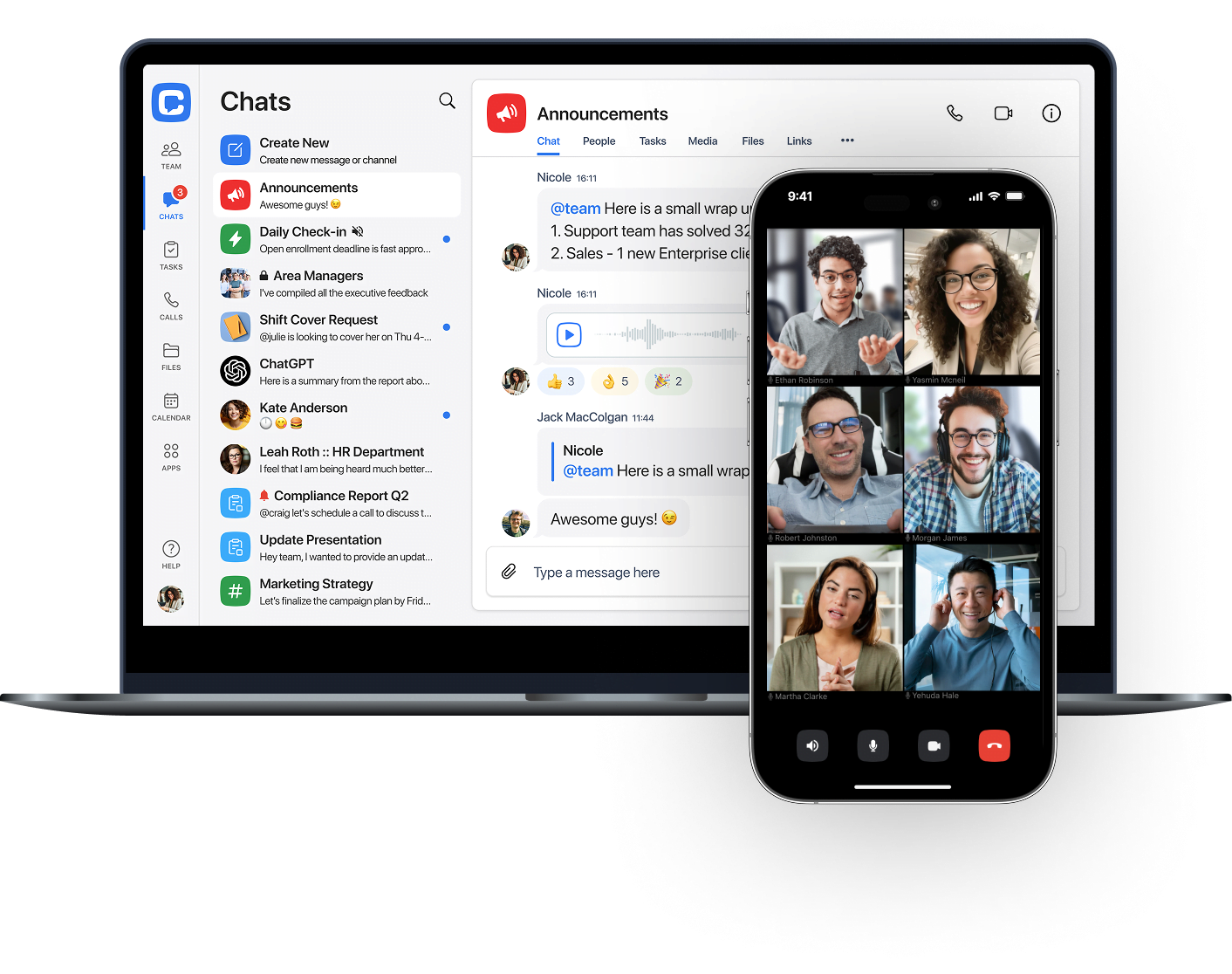 |
For team communication and keeping follow-up on track
Messages get buried, tasks get forgotten, and someone ends up asking, “Did we ever get that done?” Sound familiar?
Chanty is a workplace chat that brings team conversations, calls, shared files, and task management into one workspace. Employees can create public and private conversations for different teams or topics, search message history to find earlier decisions, and keep important information accessible instead of letting it disappear in a busy chat.
What makes Chanty particularly useful is the connection between conversations and tasks. When someone reports a problem, requests an update, or asks a colleague to take care of something, you can turn that message into an assigned task using the built-in Task Manager. Add an owner and deadline, then track progress on the task board. This way, a request doesn’t have to rely on someone remembering to follow up later.
The same approach can help teams working across different locations or shifts. For example, employees can discuss an issue in a team conversation, assign someone to handle it, and leave the next person with a task they can check later. Voice messages, audio and video calls, and screen sharing provide additional ways to communicate when a written update isn’t enough. You can also create Calendar events with teammates and connect Chanty to other services through native integrations or Zapier. Explore the full range of built-in features to see what’s available.
Is Chanty a good fit for me?
- Best for: Teams that want everyday collaboration and task coordination in one place.
- Useful when: Employees need to turn conversations into assigned work, keep track of requests, and follow up without switching to another task app.
- Keep in mind: Chanty is a team communication and coordination tool, not a specialized field-work platform. Check the available plans and pricing and make sure its integrations and features cover your team’s requirements.
Supported platforms
iOS, Android, Windows, macOS, and web.
Brosix
For private team communication with centralized admin control
Not every team needs a public workspace full of channels and integrations. Some businesses simply want a private place where employees can communicate and share information without outsiders getting access.
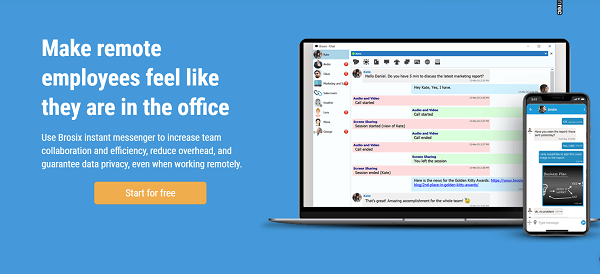
Brosix is a business instant messaging platform that gives you a secure network for your team. An administrator controls who can join, who can communicate with whom, and which features each person can use. This makes it easier for businesses to manage internal communication from one place.
Brosix goes beyond text messaging with group chats, persistent chat rooms, file transfers, voice and video calls, and screen sharing. Communication channels are encrypted, and administrators can manage user permissions and access to different features. You can find the full list of options on the Brosix features page.
The interface is relatively straightforward, so teams can use it for everyday conversations without having to learn a complicated collaboration system. However, its focus is primarily on secure internal messaging and administration rather than broader project management or task coordination.
Is Brosix a good fit for me?
- Best for: Businesses that want a private communication space with centralized control over users and permissions.
- Useful when: You need encrypted messaging, file sharing, calls, and screen sharing within an organization.
- Keep in mind: If your team also needs built-in task management or more extensive project collaboration tools, you may need another app alongside Brosix.
Supported platforms
Brosix has apps for Windows, Mac, Linux, iOS, Android, and Web.
Slack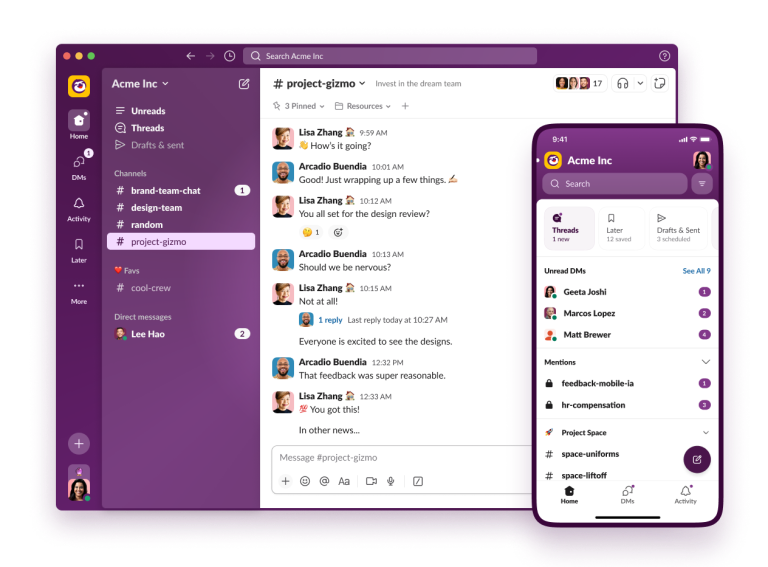 |
For channel-based communication and a wide range of integrations
When a company grows, keeping everyone in the same conversation becomes harder. Messages get mixed up, important updates disappear in long email threads, and teams need a better way to organize discussions. That’s where Slack comes in.
Slack is one of the best-known internal communication apps, built around channels where teams can discuss projects, departments, clients, or specific topics. Instead of keeping every conversation in one long chat, you can create separate spaces for different groups and invite only the people who need to be there. Direct messages are also available for private conversations.
Slack offers more than messaging. Teams can use huddles for quick audio and video conversations, share files, collaborate in canvases, and automate routine processes with Workflow Builder. Its integration directory connects Slack with a wide range of business tools, including Google Drive, Salesforce, and other services. This can be especially useful when employees rely on several apps throughout the workday.
Slack is flexible, but that flexibility can also mean more setup. As teams add channels, integrations, and workflows, they need to establish some ground rules to keep the workspace organized. And if you want built-in project management rather than communication with connected tools, you’ll need to look closely at what Slack’s features can cover.
Is Slack a good fit for me?
- Keep in mind: Slack’s broader capabilities and administration options depend on the plan, and some workflows may require additional tools or setup.
- Best for: Teams that need organized conversations, flexible channels, and plenty of third-party integrations.
- Useful when: Different departments or projects need their own communication spaces while staying connected to the wider company.
Supported platforms:
iOS, Android, Windows, macOS, Linux, and web
Microsoft Teams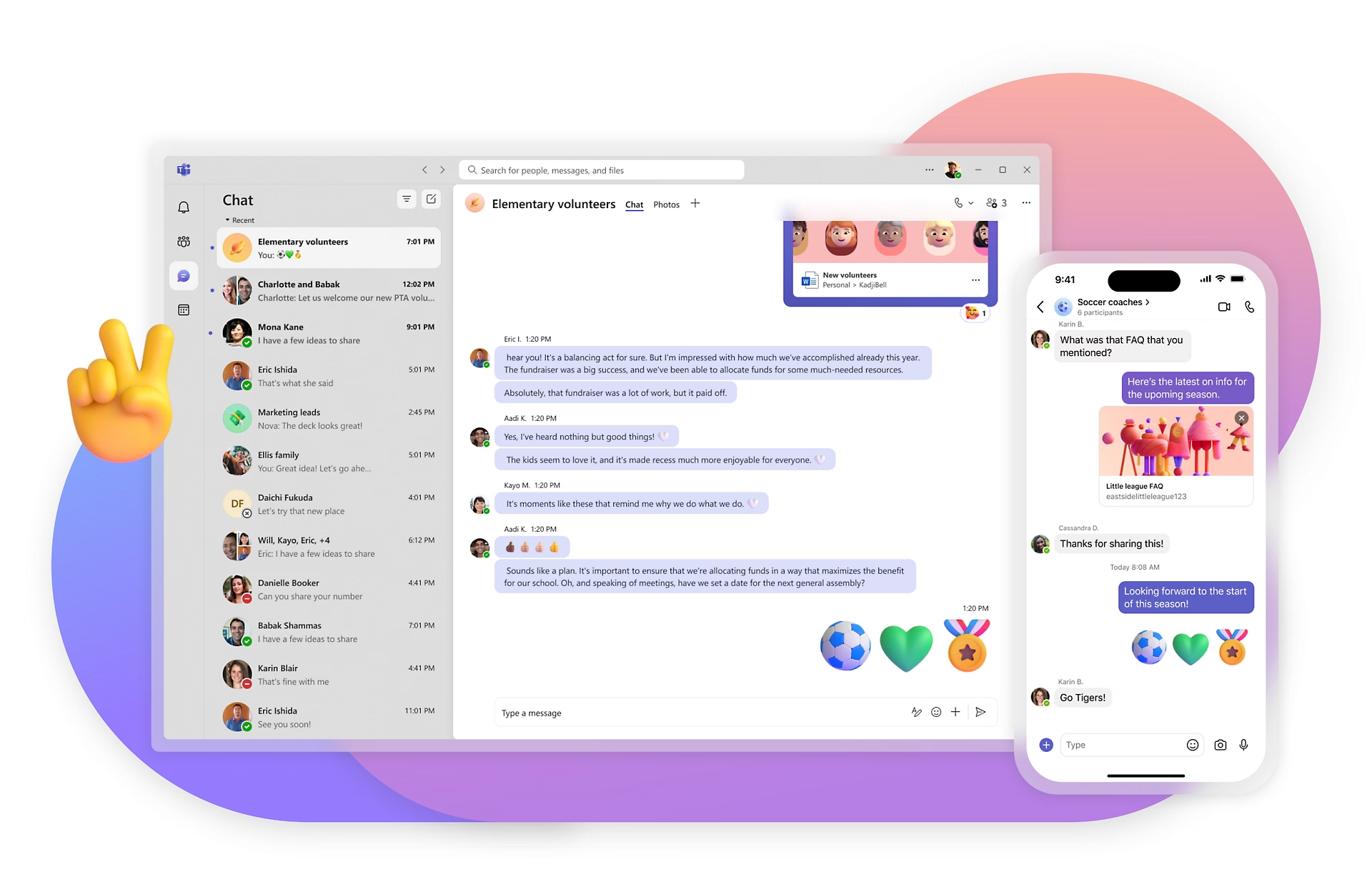 |
For companies already using Microsoft 365 tools
If your company already relies on Outlook, Word, Excel, and other Microsoft services, adding another communication platform can create unnecessary friction. Microsoft Teams brings chat, meetings, and collaboration into the same ecosystem.
Microsoft launched Teams in 2016 as a chat-based workspace within Office 365. The idea was to give employees one place to communicate, share files, and work with familiar Microsoft applications. In 2018, Microsoft started releasing a free version for teams that didn’t have a commercial Office 365 subscription.
Today, Microsoft Teams combines one-on-one and group chats, channels, audio and video meetings, screen sharing, and file collaboration. Its close connection with Microsoft 365 makes it convenient to work on Word, Excel, and PowerPoint files without constantly switching between applications. Teams can also connect with third-party services and support workflows through its app ecosystem.
As described in our Slack vs. Microsoft Teams comparison, the two platforms approach collaboration a little differently. Slack puts more emphasis on its channel-based communication and third-party integrations, while Teams is particularly appealing to organizations that want their communication closely connected to Microsoft’s productivity tools.
The main drawback is that Teams can feel like a lot to manage, especially for smaller teams that only need straightforward messaging and calls. Its interface, features, and available administration options can also vary depending on the Microsoft 365 or Teams plan.
Is Microsoft Teams a good fit for me?
- Best for: Organizations already using Microsoft 365 that want chat, meetings, and document collaboration in one environment.
- Useful when: Employees regularly work with Outlook, Word, Excel, SharePoint, and other Microsoft services.
- Keep in mind: Check which features are included in your subscription, as the available tools and capabilities differ between plans.
Supported platforms:
iOS, Android, Windows, macOS, and web
ProofHub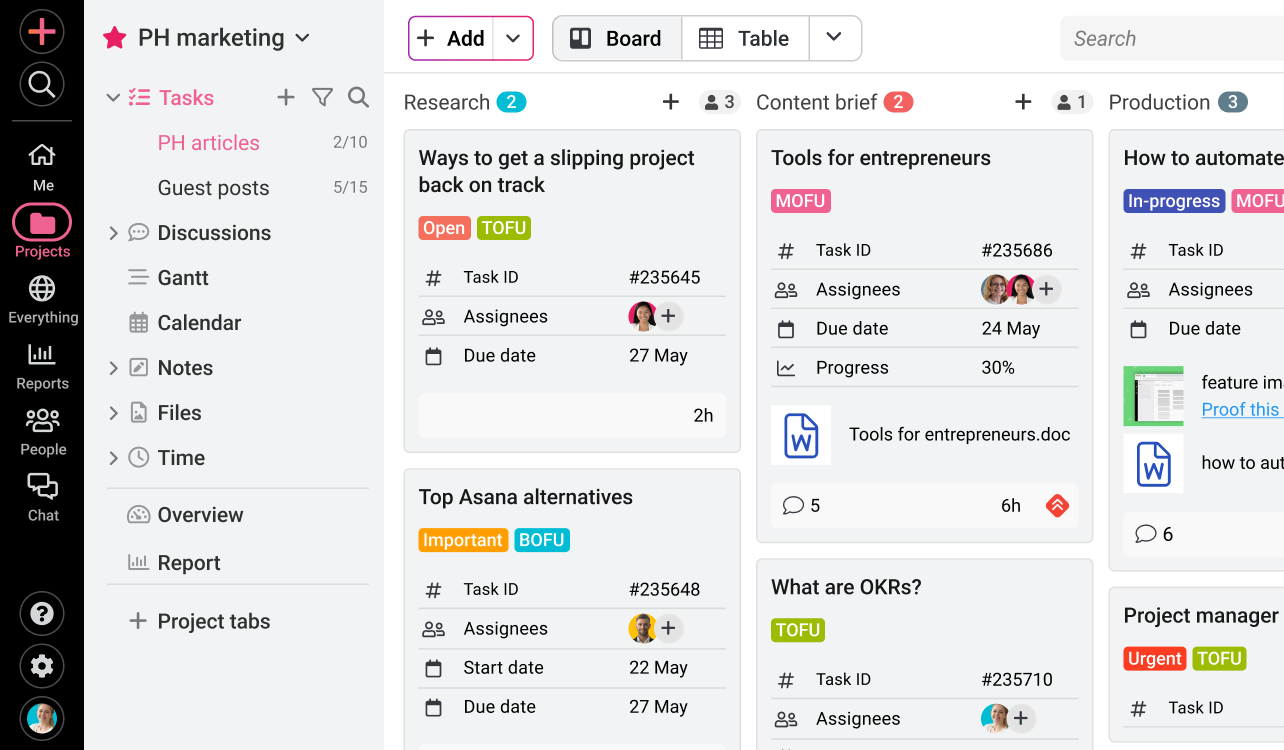 |
For project management and team collaboration in one place
Some teams need more than a place to exchange messages. They need a way to organize projects, assign responsibilities, track deadlines, and keep everyone up to date without juggling several separate tools.
ProofHub combines project management with team communication. It gives teams a shared workspace for planning projects, creating tasks, setting deadlines, and tracking progress. Instead of relying on separate apps for every part of the workflow, employees can manage much of their daily work from one platform.
Communication is built into the system, too. Teams can use discussions, announcements, group chats, and instant messaging to share updates and clarify project details. ProofHub also includes file sharing, notes, proofing tools, and reporting features, making it useful for teams that regularly review documents or creative work.
Compared with dedicated project management platforms such as Asana, ProofHub puts more emphasis on bringing project planning and communication together in a single workspace. Its flat pricing model may also appeal to growing teams that want to add users without paying a separate per-user fee.
Is ProofHub a good fit for me?
- Keep in mind: If your main priority is a lightweight team messenger for everyday conversations, ProofHub may offer more project management functionality than you need.
- Best for: Teams that want project planning, task management, and communication in one platform.
- Useful when: Projects involve multiple people, deadlines, shared files, and regular feedback.
Supported Platforms
iOS, Android, and Web
Twist
For asynchronous communication and focused discussions
Not every conversation needs an instant reply. When teams work across different time zones or have schedules that don’t overlap, constant notifications and messages demanding immediate attention can make it harder to focus.
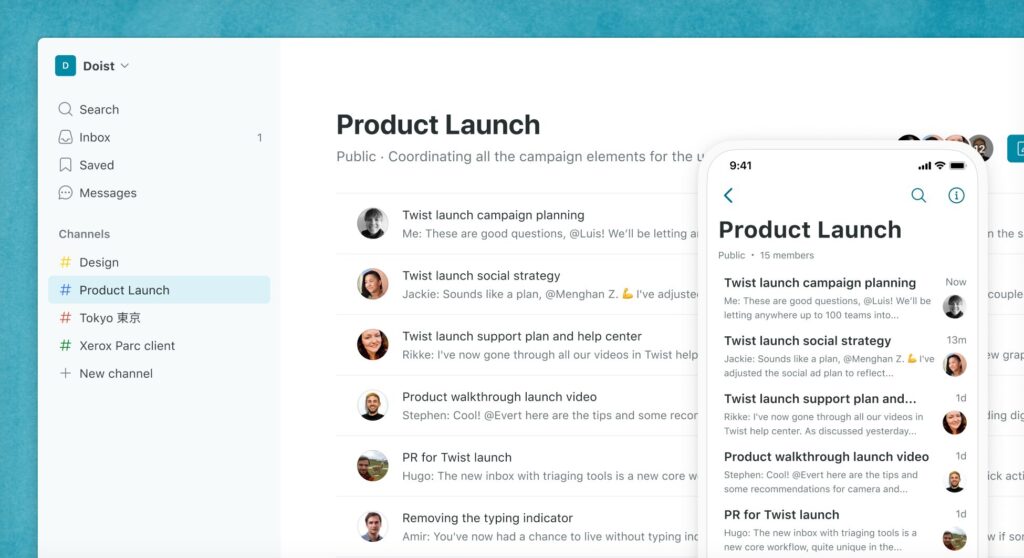
Twist takes a different approach to team communication by putting organized discussions ahead of real-time chat. Instead of relying on one continuous stream of messages, it uses threads to keep conversations grouped by topic. Teams can create channels for different projects or departments, start discussions, and return to them when they have time.
This asynchronous approach makes it easier to follow decisions without having to read through dozens of unrelated messages. Twist also supports direct messages, file sharing, notifications, and integrations with other work tools, so employees can keep relevant conversations in one place.
The trade-off is that Twist isn’t designed for teams that need constant back-and-forth communication. It may feel less convenient when a quick answer, live discussion, or immediate coordination is essential. However, for distributed teams that value uninterrupted work and thoughtful updates, its slower pace can be an advantage.
Is Twist a good fit for me?
- Keep in mind: If your team relies on frequent real-time conversations, calls, or instant responses, a traditional team chat app may be a better fit.
- Best for: Remote and distributed teams that prefer organized, asynchronous communication.
- Useful when: Employees work across different time zones and need to follow discussions without being online at the same time.
Supported platforms
iOS, Android, Windows, macOS, and web.
Google Workspace
For communication connected to everyday productivity tools
If your team already uses Gmail, Google Drive, and Google Calendar, you may not need a separate platform for every part of workplace communication. Google Workspace brings these services together with tools for messaging, meetings, and document collaboration.
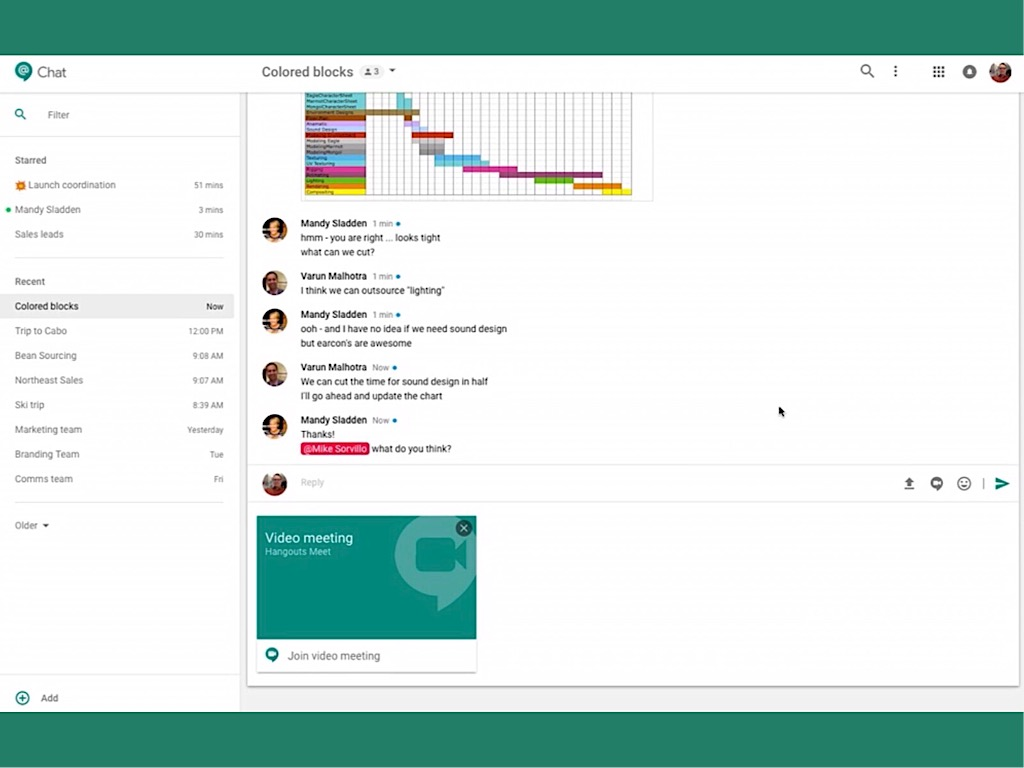
Google Chat is the messaging component of the suite. Employees can exchange direct messages, create group conversations, and organize discussions in Spaces dedicated to projects or teams. It also connects with Google Meet for video meetings, while shared files and documents can be accessed through Google Drive and other Workspace apps.
This integration is one of Google Workspace’s main advantages. A team can discuss a project in Chat, schedule a meeting in Calendar, share a spreadsheet from Drive, and collaborate on a document in Google Docs without constantly switching between unrelated services. Admins can also manage users and access through Google’s centralized administration tools.
However, Google Workspace is a broader productivity suite rather than a dedicated team messaging platform. Google Chat covers everyday communication, but teams looking for advanced project management, more extensive chat customization, or specialized collaboration features may need additional apps.
Is Google Workspace a good fit for me?
- Keep in mind: Google Chat is only one part of the suite. Check the Workspace plan to understand which features, storage limits, and administration options are included.
- Best for: Businesses that already rely on Gmail, Google Drive, Docs, Sheets, and Calendar.
- Useful when: Employees need communication, meetings, email, and document collaboration connected in one ecosystem.
Supported platforms:
iOS, Android, macOS, and web
RocketChat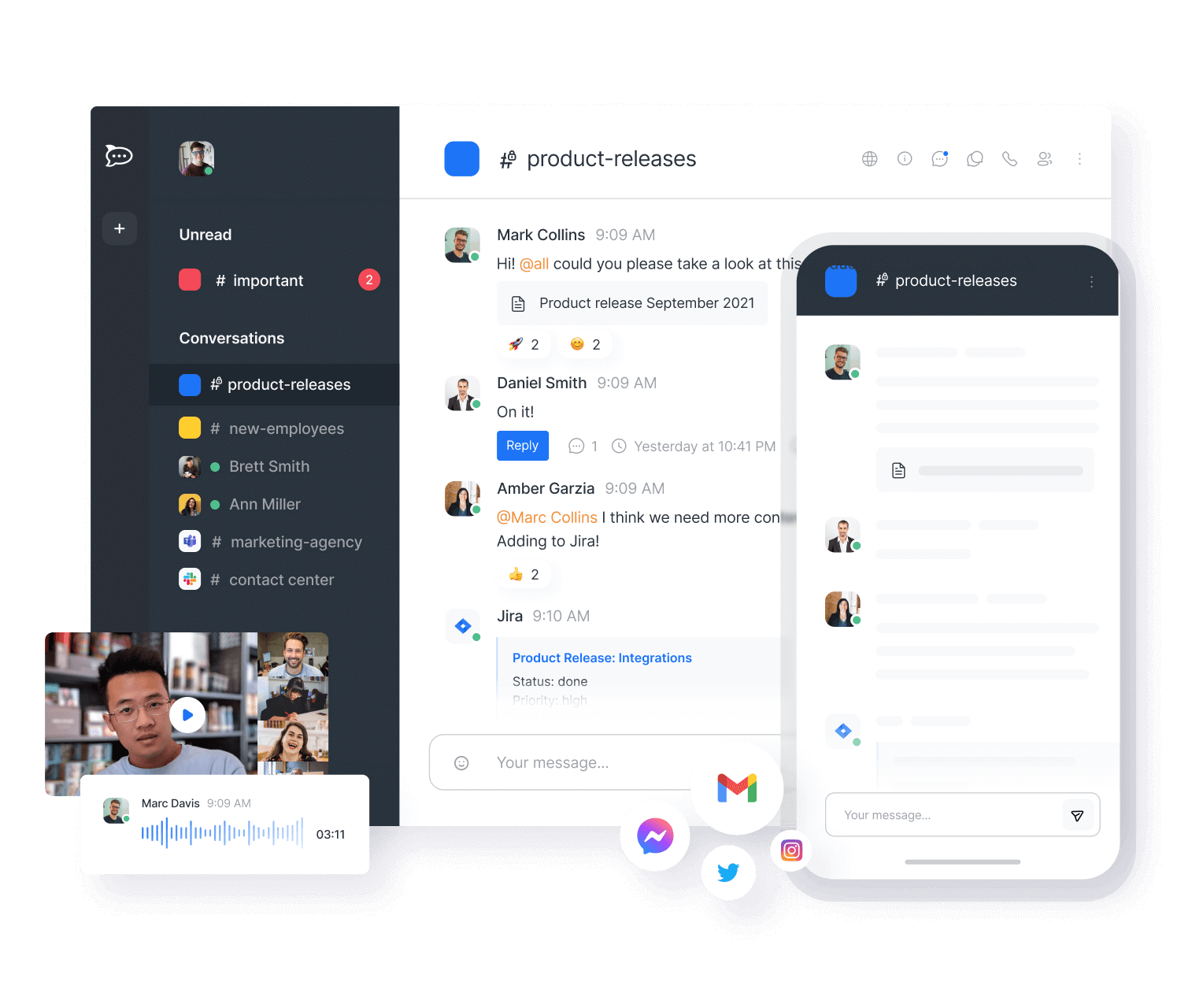 |
For customizable, self-hosted team communication
Some businesses want more control over their communication tools than a typical cloud-based messenger can offer. They may need to host their own data, customize the interface, or adapt the platform to specific security and workflow requirements.
Rocket.Chat is an open-source team messaging platform that gives organizations considerable flexibility. Unlike Slack, it allows teams to customize and extend the software, including adapting it to their own infrastructure and communication needs.
Rocket.Chat supports direct and group messaging, public and private channels, threaded conversations, file sharing, and integrations with other business tools. Organizations can choose between cloud-hosted and self-managed deployment options, depending on their requirements. Its customization options and real-time message translation can also be useful for teams working across different languages.
However, this flexibility comes with a learning curve. Setting up and maintaining a self-hosted environment requires technical knowledge, and the interface may not feel as straightforward to employees who are used to simpler messaging apps. Some user reviews also point to usability as an area that could be improved.
Is Rocket.Chat a good fit for me?
- Best for: Organizations that want an open-source communication platform with control over hosting and customization.
- Useful when: Your team needs private infrastructure, flexible integrations, or the ability to adapt the software to specific requirements.
- Keep in mind: Self-hosting and customization may require technical support. If ease of use is your main priority, compare the setup experience with simpler alternatives.
Supported platforms:
iOS, Android, Windows, macOS and Linux
Flock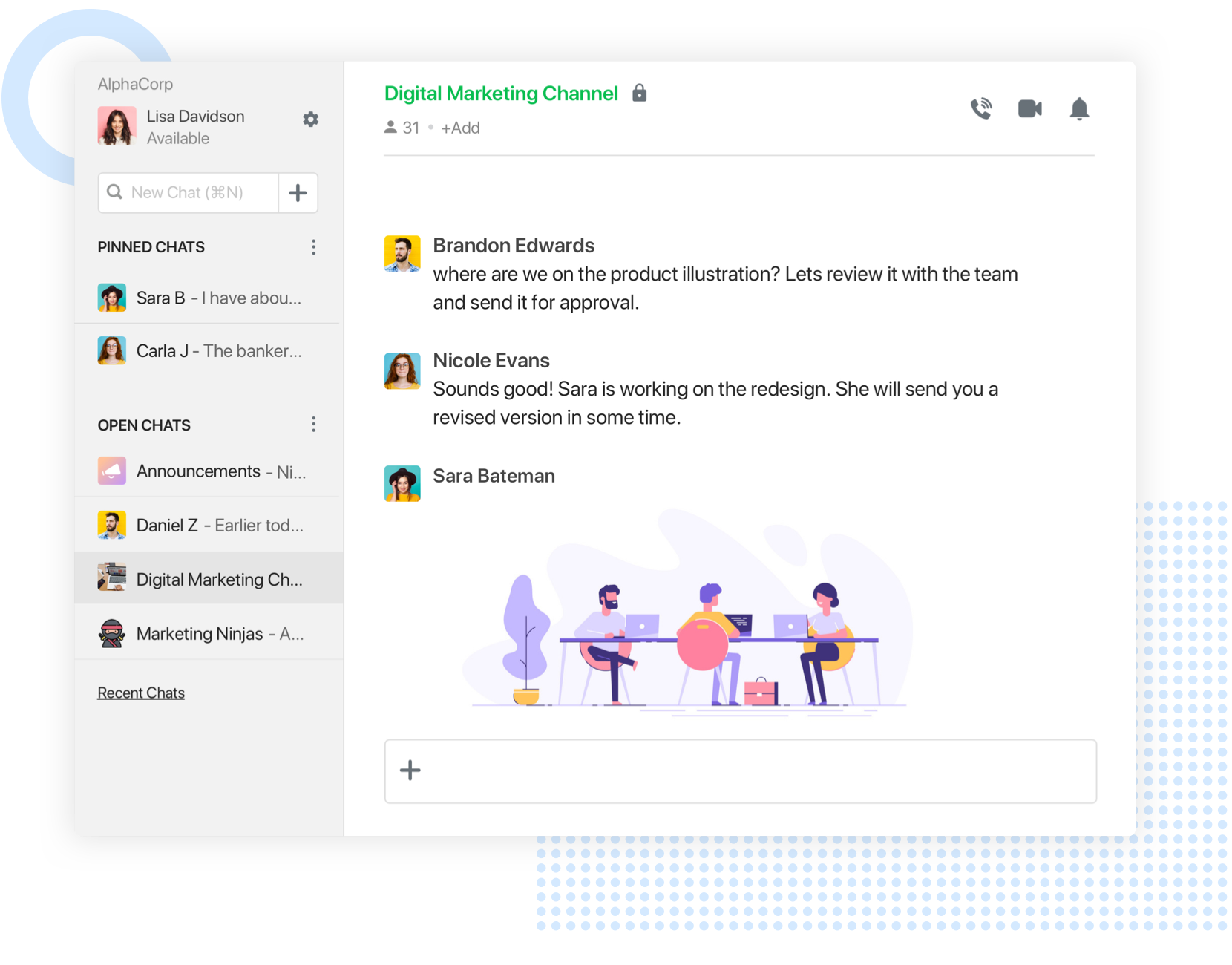 |
For budget-conscious teams looking for a Slack alternative
Flock is an Indian team communication platform that brings messaging and collaboration tools together in one workspace. It positions itself as an alternative to Slack, particularly for businesses looking for a more affordable way to organize internal communication.
Flock offers direct and group messaging, channels, file sharing, video and audio calls, and productivity features such as shared to-dos, reminders, and polls. Its combination of communication and lightweight task management can help teams coordinate everyday work without relying on several separate apps.
Price has traditionally been one of Flock’s selling points. In its comparison with Slack, the company highlights its more affordable plans. However, price alone doesn’t tell the whole story. Teams should also compare message history limits, storage, integrations, and the features included in each subscription.
When our team tested Flock, we noticed that its video calls offered good quality, but the interface felt rather overloaded. This may not be a problem for everyone, but teams that prefer a clean, minimal workspace should try it before committing.
Is Flock a good fit for me?
- Best for: Small and medium-sized teams looking for an affordable alternative to Slack.
- Useful when: You want messaging, video calls, and basic productivity tools in one workspace.
- Keep in mind: Test the interface and check the current message history limits and plan restrictions before making a decision.
Supported platforms:
iOS, Android, macOS, Linux and web
Ryver
For teams combining group chat with task management
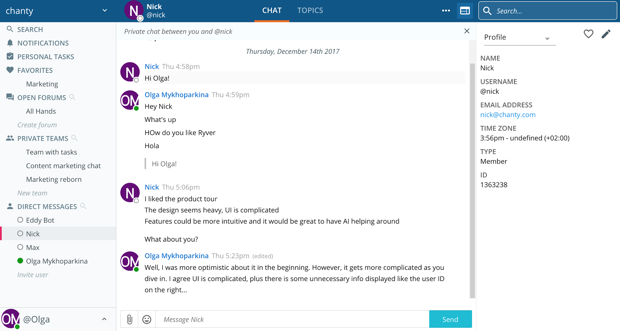
If your team is tired of switching between a messaging app and a separate project management tool, Ryver takes an interesting approach. It combines team conversations with task boards, giving employees a place to discuss work and keep track of what needs to get done.
Ryver brings together team chat, topic-based discussions, and a built-in task manager with a Trello-like board layout. You can create tasks from conversations, assign them to team members, and track their progress. This makes it easier to connect everyday discussions with the work that follows.
Ryver also supports file sharing, direct messages, and integrations with external services. However, it doesn’t offer native audio and video conferencing. Teams that need calls can use its integration with FreeConference, so this is worth considering if meetings are a regular part of your workflow.
Another difference is its pricing approach. Unlike many group chat apps that charge per user, Ryver has offered team-based pricing. This can make it an interesting option for larger organizations, although you should check its current plans and user limits before comparing costs.
Is Ryver a good fit for me?
- Best for: Teams that want group communication and task management in the same workspace.
- Useful when: You need to turn discussions into assigned work and track progress without maintaining a separate task board.
- Keep in mind: The lack of native video conferencing may be a drawback for teams that rely on frequent calls. Check the current pricing structure, too.
Supported platforms:
iOS, Android, macOS, and web
Pumble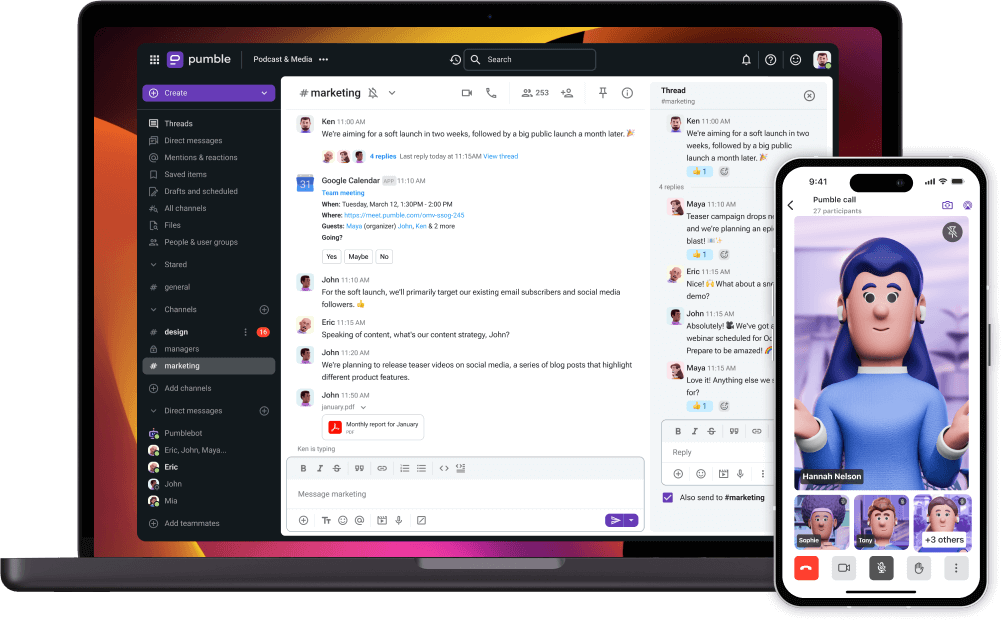 |
For teams that want free messaging without user or history limits
Many business messaging apps put restrictions on their free plans, especially when it comes to the number of users or how far back you can search your conversations. Pumble takes a different approach.
Pumble is a business messaging platform that lets teams communicate through public and private channels, direct messages, and group conversations. Its free plan stands out by offering unlimited users and unlimited message history, which can be particularly attractive to startups and growing businesses working with a tight budget.
Pumble also includes file sharing, notifications, and a Do Not Disturb mode that lets employees choose when they don’t want to be interrupted. When a conversation needs more than a few messages, teams can use audio and video calls with screen sharing to discuss things in real time.
The platform covers most everyday communication needs without requiring a paid subscription. However, teams should compare the storage allowance, administrative controls, and other plan limits before deciding whether the free version will support their long-term needs.
Is Pumble a good fit for me?
- Keep in mind: Check the free plan’s storage limits and compare paid features if your team needs more advanced administration or collaboration tools.
- Best for: Startups, small businesses, and growing teams looking for an affordable team messaging platform.
- Useful when: You need unlimited users and searchable message history without paying for a subscription.
Supported platforms:
Windows, macOS, Linux, Android, iOS, Web
Zoho Cliq
For businesses already using the Zoho ecosystem
If your company already uses Zoho CRM, Zoho Projects, or other Zoho products, adding another communication platform may create unnecessary work. Zoho Cliq brings team messaging into the same ecosystem.
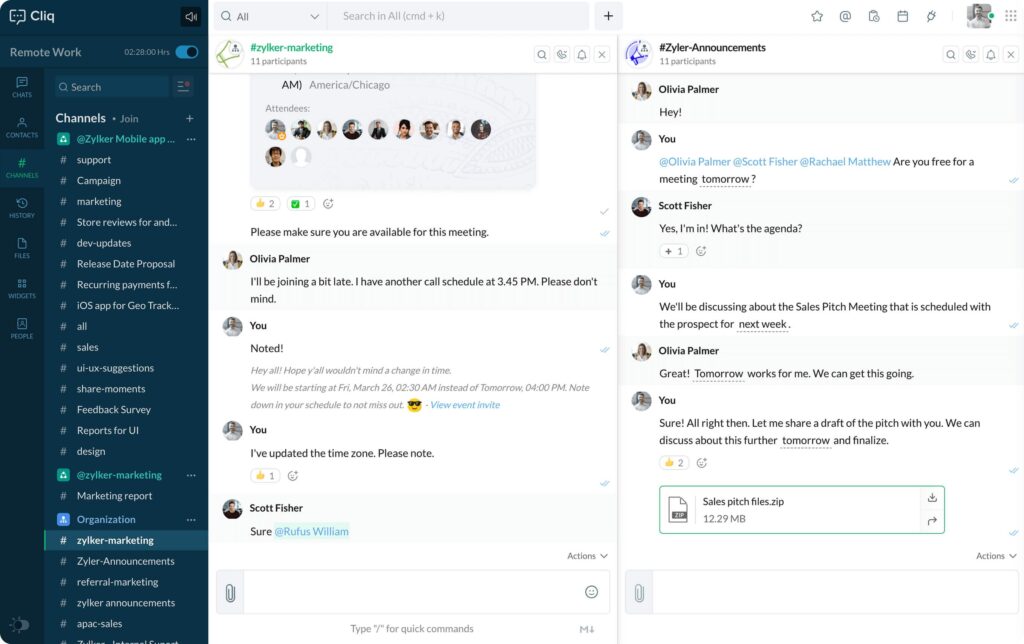
Zoho Cliq is a group communication app that supports direct messages, public and private channels, threaded conversations, and file sharing. Teams can also use audio and video calls to discuss projects without leaving the platform.
One of its main advantages is its connection with other Zoho applications. Employees can receive updates, access information, and automate certain workflows across the services they already use. Zoho Cliq also supports bots, commands, and integrations with third-party tools, including services such as Google Drive and Trello.
This makes the app particularly useful for businesses that want communication to work alongside their existing business processes. However, its full potential is easier to appreciate when you’re already using Zoho products. Teams starting from scratch may find that some of its ecosystem-specific features offer less value.
Zoho Cliq has a free plan, while paid options provide additional capabilities. Check the current Zoho Cliq plans to compare user limits and available features.
Is Zoho Cliq a good fit for me?
- Keep in mind: The integration benefits are most valuable if your company already relies on the Zoho ecosystem.
- Best for: Companies already using Zoho CRM, Projects, Desk, or other Zoho applications.
- Useful when: You want to connect team conversations with business workflows, notifications, and automation.
Supported platforms:
iOS, Android, Windows, macOS, and web.
Mattermost
For organizations that need control over their communication infrastructure
Some organizations cannot rely on a standard cloud-based messaging app. They may have strict security requirements, internal policies, or compliance obligations that make control over their data and infrastructure a priority. Mattermost is designed with these needs in mind.
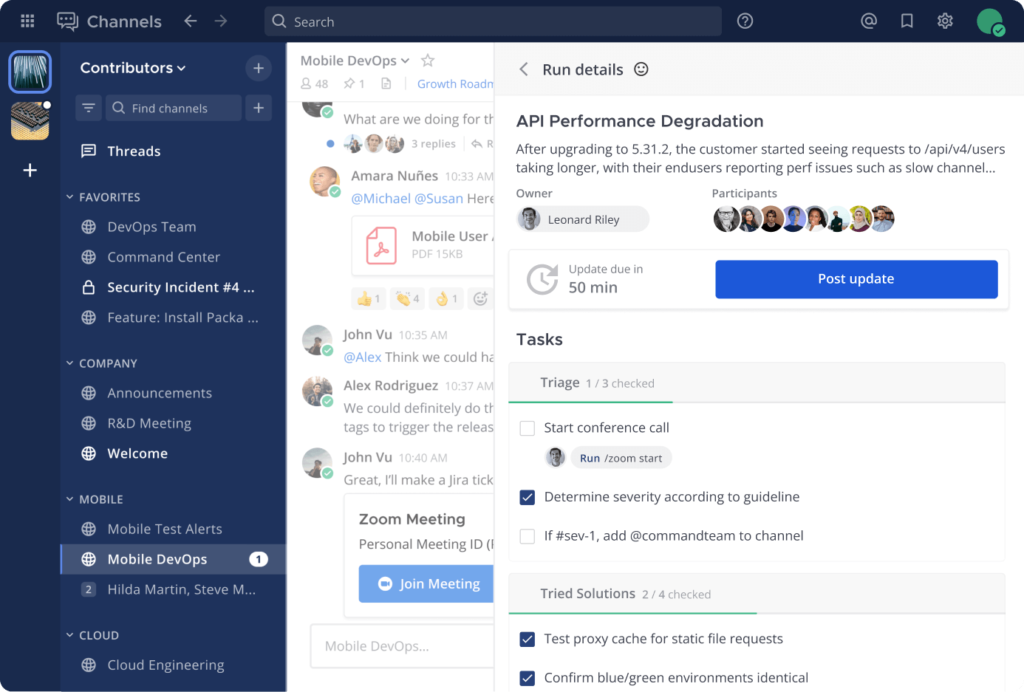
Mattermost is an open-source team collaboration platform that supports self-hosted and cloud deployment options. Teams can organize conversations in public and private channels, exchange direct messages, share files, and connect the platform with other tools. Its customizable architecture also allows organizations to adapt the software to their own workflows.
Mattermost is particularly relevant for technical teams and organizations working in regulated or security-sensitive environments. It offers administrative controls, integrations, and deployment flexibility that help organizations manage their communication infrastructure according to their requirements. You can learn more about its role as group chat software.
However, Mattermost’s flexibility comes with additional responsibility. Organizations choosing self-hosting need the technical resources to deploy, maintain, and secure their own infrastructure. It’s also worth checking the exact security features available in each edition. For example, end-to-end encryption should not be assumed to cover every deployment or conversation by default.
Is Mattermost a good fit for me?
- Keep in mind: Self-hosting requires technical expertise and ongoing maintenance. For smaller teams that simply need everyday messaging, Mattermost may be more complex than necessary.
- Best for: Technical teams and organizations with specific security, customization, or data residency requirements.
- Useful when: You need control over where your communication data is stored and how the platform is deployed.
Supported platforms
iOS, Android, Windows, macOS, Linux and web.
Signal
For private conversations and secure messaging
Some conversations are better kept away from public channels and large collaboration platforms. Signal focuses on one thing in particular: keeping private communication private.
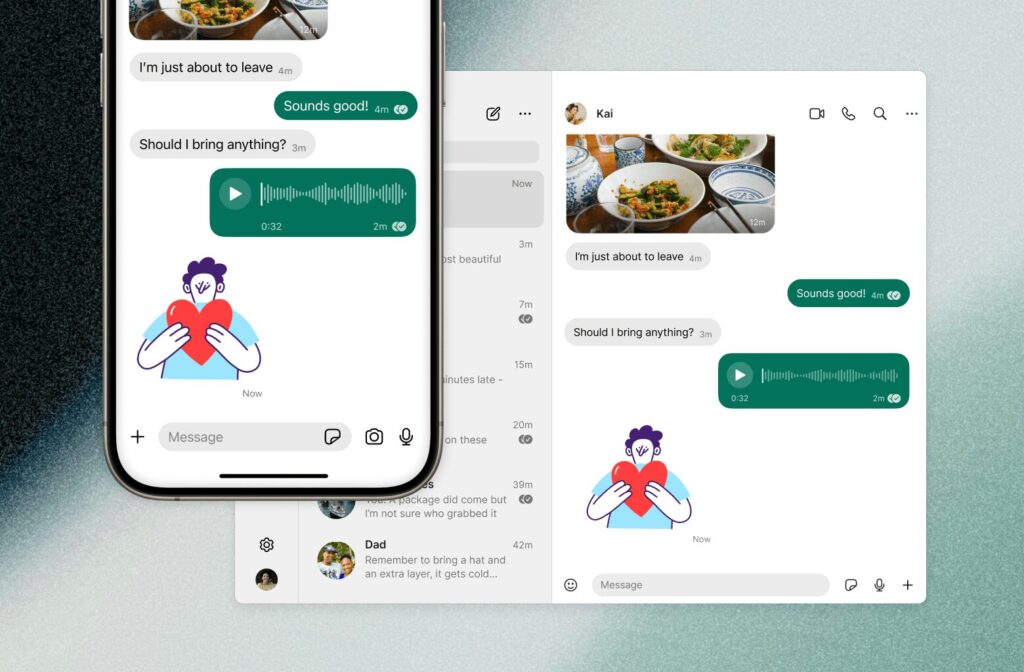
Signal is a messaging app known for its end-to-end encryption. Messages and calls are encrypted by default, meaning that only the intended participants can access their contents. The app supports individual and group chats, voice and video calls, and multimedia sharing across mobile and desktop devices.
Privacy is central to Signal’s design. The app is open source, allowing its code to be independently reviewed, and its business model doesn’t depend on advertising or collecting user data for commercial purposes. This makes it an appealing option for people who want to communicate without giving a messaging platform unnecessary access to their personal information.
However, Signal isn’t designed to manage workplace collaboration. You won’t find built-in project boards, task assignments, extensive integrations, or the administrative controls available in business-focused communication platforms. It’s better suited to private conversations than coordinating an entire team’s workload.
Is Signal a good fit for me?
- Best for: Individuals and small groups that prioritize private communication.
- Useful when: You need encrypted messaging and voice or video calls without a complicated collaboration platform.
- Keep in mind: Signal lacks many workplace management features, so teams may need a separate tool for tasks, projects, and broader coordination.
Supported platforms
Signal is available on iOS, Android, Windows, macOS, and Linux.
Discord

For communities and teams that rely on voice communication
Discord started as a messaging platform for gamers, but its channel-based structure has made it popular with many other online communities, creative groups, and development teams.
Discord organizes communication into servers, which can contain separate text and voice channels for different topics, projects, or groups of people. Members can exchange direct messages, share files, join voice and video calls, and share their screens. Servers can also be customized with roles, permissions, bots, and integrations.
This flexibility makes Discord useful for teams that want a relatively informal communication space. Developers can create channels for technical discussions, while creative teams can use voice rooms to collaborate or exchange feedback. Bots can also automate routine activities and add functionality to a server.
Still, Discord wasn’t originally built as a business collaboration platform. Its project management and administrative capabilities are more limited than those of dedicated workplace tools, and organizations with strict compliance requirements should carefully evaluate whether it meets their needs.
Is Discord a good fit for me?
- Best for: Creative teams, developer communities, and startups that prefer flexible, channel-based communication.
- Useful when: Your team relies on voice channels, community discussions, and bots to organize everyday interactions.
- Keep in mind: Discord may not offer the business administration, compliance, and structured task management your organization requires. You can also compare its pricing plans before choosing a subscription.
Supported platforms
Discord is available on Windows, macOS, Linux, iOS, Android, and Web.
Snapchat
For informal, visual communication and social media updates
Snapchat isn’t a conventional workplace messaging app. It’s better known for short-lived photos and videos, creative filters, and casual conversations. Still, some teams may find its format useful for sharing informal updates, particularly when their work already involves social media or visual content.
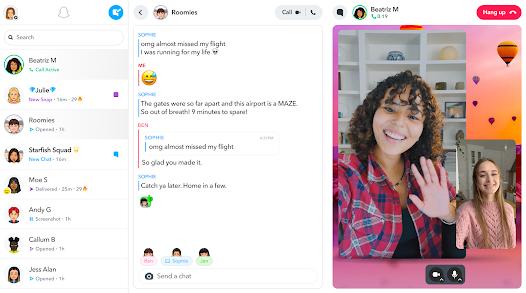
Snapchat lets users exchange text messages, photos, and videos, create group chats, and share temporary updates through Stories. Its filters, lenses, and other creative tools make it easy to produce visual content and communicate in a less formal way.
For marketing and social media teams, Snapchat can also be useful for following trends, testing creative ideas, and communicating with audiences on the platform. Stories provide a way to share temporary content, while other features support direct interaction with followers.
However, there’s a clear difference between using Snapchat for social communication and using it to coordinate workplace tasks. It lacks the structured channels, administrative controls, searchable work history, and project management features that businesses typically need from an internal communication platform.
Is Snapchat a good fit for me?
- Best for: Social media and marketing teams that already use Snapchat as part of their content strategy.
- Useful when: You need a casual way to exchange visual updates or experiment with social content.
- Keep in mind: Snapchat isn’t designed for internal business communication. Don’t rely on it as your team’s main workspace for important decisions or work-related information.
Supported platforms
Snapchat is available on iOS and Android.
Beeper
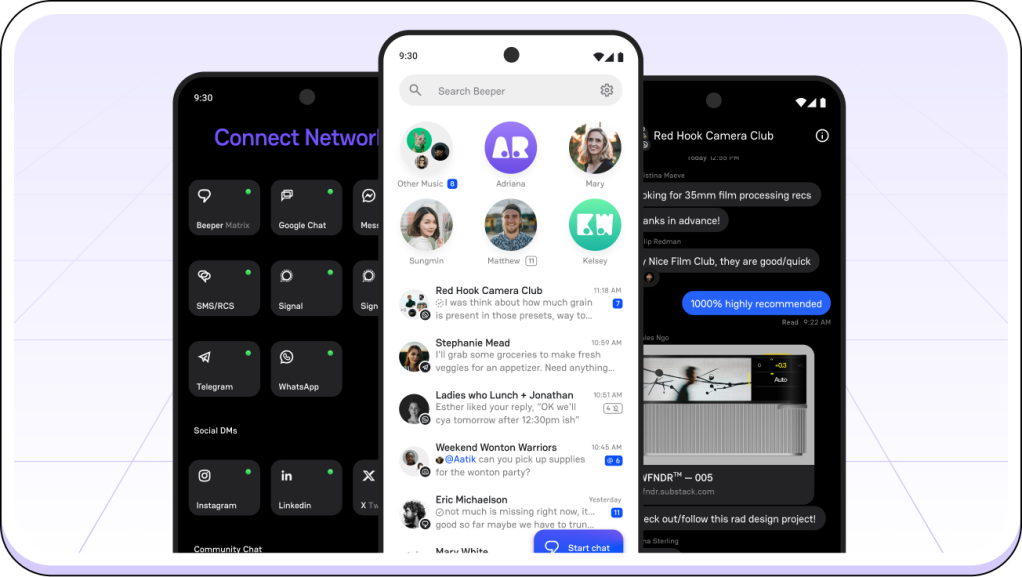
For bringing multiple messaging services into one inbox
If you communicate with different people across several messaging platforms, keeping track of every conversation can become a nuisance. Beeper aims to make this easier by bringing supported messaging services together in one interface.
Beeper is a universal messaging app that lets users connect multiple messaging accounts and manage their conversations from a single inbox. Depending on the services currently supported, you can bring together chats from platforms such as WhatsApp, Telegram, and other messaging networks without constantly switching between apps.
The main advantage is convenience. Instead of checking several messaging applications throughout the day, you can see conversations in one place and respond from the Beeper interface. This can be particularly helpful for people who communicate with clients, colleagues, or contacts across different services.
However, Beeper is primarily an inbox for existing messaging networks rather than a complete team collaboration platform. Its available integrations and functionality can change, and it doesn’t replace dedicated tools for project management, task assignments, or workplace administration.
Is Beeper a good fit for me?
- Best for: Individuals and professionals who regularly communicate across several messaging platforms.
- Useful when: You want to manage supported messaging accounts from one interface instead of opening multiple apps.
- Keep in mind: Beeper doesn’t provide a complete workspace for team coordination. Check which messaging services are currently supported before relying on it.
Supported platforms
Beeper is available on Windows, macOS, iOS, and Android.
Element
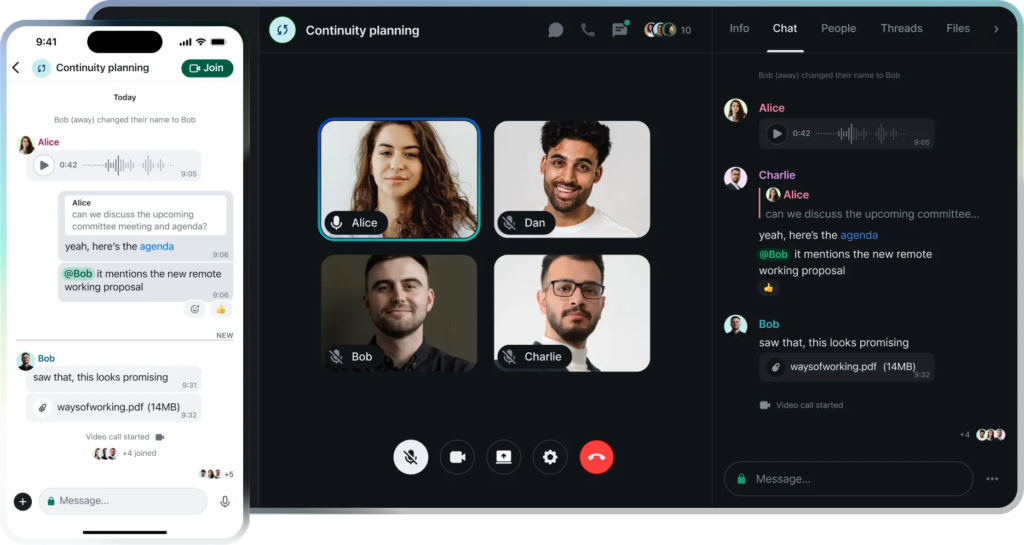
For decentralized communication and control over your data
Some organizations want more than encrypted messaging. They also want to decide where their communication infrastructure is hosted and who has control over it. Element is built around this idea.
Element is an open-source messaging platform based on the Matrix protocol, an open standard for decentralized communication. It supports direct and group chats, public and private rooms, file sharing, and voice and video calls. End-to-end encryption is available for supported conversations.
One of Element’s main advantages is its decentralized architecture. Organizations can use existing Matrix servers or host their own infrastructure, giving them more control over data storage, access, and administration. The Matrix ecosystem also allows communication between compatible servers, so teams aren’t necessarily limited to one provider.
This flexibility can be valuable for organizations with specific privacy, security, or data sovereignty requirements. However, setting up and maintaining a self-hosted environment requires technical knowledge. Teams looking for a simple messaging app that works straight out of the box may find Element more complex than necessary.
Is Element a good fit for me?
- Best for: Privacy-conscious organizations, technical teams, and communities that value open standards and decentralized communication.
- Useful when: You want control over your messaging infrastructure or need communication across different Matrix servers.
- Keep in mind: Self-hosting and administration require technical resources. Evaluate the setup and maintenance requirements before choosing Element for your whole organization.
Supported platforms
Element is available on Windows, macOS, Linux, iOS, Android, and Web.
Wire
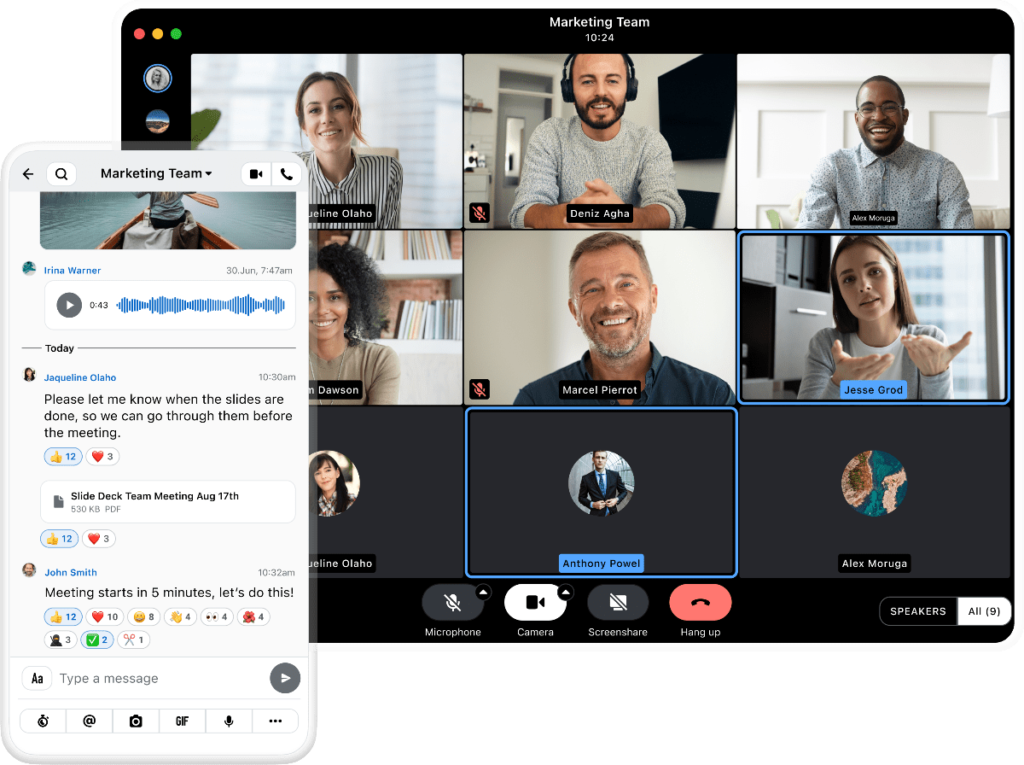
For secure business communication and collaboration
For businesses handling confidential information, communication security isn’t an optional extra. Wire focuses on providing encrypted messaging and collaboration tools in a platform designed for professional use.
Wire supports individual and group messaging, voice and video calls, file sharing, and team collaboration. Its end-to-end encryption is designed to protect communication content, while administrative controls help organizations manage users and access.
Unlike privacy-focused messengers built primarily for personal conversations, Wire also targets businesses and organizations. It offers features for team management and supports deployment options suited to different organizational requirements. This makes it worth considering for companies that want stronger communication security without relying on a collection of separate messaging tools.
Still, security features and administrative capabilities depend on the product edition and configuration. Businesses should review the available plans and technical documentation to make sure Wire meets their specific requirements.
Is Wire a good fit for me?
- Best for: Businesses and organizations that prioritize secure communication and need professional team messaging features.
- Useful when: You want encrypted conversations, calls, file sharing, and administrative controls in one platform.
- Keep in mind: Check the security features, deployment options, and management tools included in the plan you’re considering before making a decision.
Supported platforms
Wire is available on Windows, macOS, Linux, iOS, Android, and Web.
How to pick the right team chat app
With so many options out there, choosing the right group chat app can feel overwhelming. The right tool should do more than just send messages – it should fit how your team actually works, grow with you, and make everyone’s day a little less chaotic.
Start here: What is your team situation?
| Your situation | Best fit |
| Want to replace 3 apps with one | Chanty |
| Small team, tight budget | Chanty or Pumble |
| Deep in Microsoft 365 | Microsoft Teams |
| Deep in Google Workspace | Google Chat |
| Already running on Zoho products | Zoho Cliq |
| Async team spread across time zones | Twist |
| Privacy-critical industry – legal, healthcare, finance | Signal, Wire, Mattermost |
| Tech team wanting open-source and full data control | Rocket.Chat, Element, Mattermost |
| Security-conscious, need a private administered network | Brosix |
| Large team with complex workflows and budget to match | Slack |
| Team scattered across WhatsApp, iMessage, Slack, and more | Beeper |
| Creative, community-driven, or developer team | Discord |
| Marketing or social media team needing informal quick sharing | Snapchat |
Still deciding? Run through this checklist:
- Know what you actually need. List the three biggest communication frustrations your team has right now. The right app solves those – not just adds more features to ignore.
- Demand simplicity. If it needs a training session to get started, it’s already losing. The best tools feel obvious from day one.
- Check your integrations. Your new chat app should slot into your existing workflow: project management, file storage, CRM – not force you to rebuild it around the tool.
- Think long-term. Can it scale as your team grows? Switching tools a year from now is expensive and disruptive. Pick something with room to grow.
- Go beyond chat. File sharing, task assignment, threaded conversations, searchable history – these aren’t nice-to-haves anymore. They’re what separate a real collaboration tool from a glorified group text.
- Don’t compromise on security. Look for end-to-end encryption, role-based access controls, and privacy compliance. Especially if your team handles sensitive client or business data.
- Match the price to the value. Free plans are great for getting started, but check what’s actually locked behind a paywall. Sometimes paying $3/user/month unlocks everything you need – sometimes the free tier is genuinely enough.
- Make sure it works on every device. Your team isn’t always at a desk. The app should work just as well on a phone in transit as on a laptop in the office.
- Use the free trial properly. Don’t just click around alone – run a real week of work through it with your team. Use it for actual meetings, tasks, and decisions. You’ll know fast whether it fits.
- Let your team have a say. Narrow it down to two options and let the people who’ll use it daily cast a vote. Buy-in from the start means faster adoption and fewer complaints later.
The best app isn’t the one with the longest feature list. It’s the one your team opens without thinking twice.
Did we help you pick the best chat app?
It’s no surprise that communication needs have skyrocketed since the pandemic. Group communication has moved from a nice-to-have to the backbone of workplace collaboration – and the tools supporting it have evolved just as fast, offering everything from simple messaging to full productivity hubs designed to keep teams aligned and efficient.
Picking the right one isn’t always easy. Many tools overlap in features, pricing, and promise. But as you’ve seen from this list, there’s no shortage of strong options – whether your team needs a clean, simple interface or a powerful group communications application loaded with integrations.
One thing is certain: these tools are only getting better. Smarter automation, stronger data security, and deeper compatibility with the tools teams already use – the next generation of group chat apps is shaping up to be even more powerful. Investing in the right one now means your team is already ahead.
Did we miss your favorite tool? Let us know in the comments – we read every one and update this list regularly to make sure it stays the most useful resource for your team’s communication needs.
Frequently asked questions
What are the leading platforms for team chat and messaging?
The options in this guide include Slack, Microsoft Teams, Google Chat, Chanty, and other platforms serving different needs. Start with your existing software, required administration, communication style, and follow-up workflow. The most recognizable name is one consideration; suitability depends on those requirements.
Which team chat apps combine messaging and task management?
Chanty, Flock, and Ryver offer task-related capabilities alongside communication. ProofHub combines project management with chat and discussions, while Slack offers Lists. Compare the actual assignment and tracking workflow and the required subscription, since these capabilities differ in scope.
What should construction teams check in a mobile chat app?
Test Android and iPhone usability, job-specific access, connectivity, and photo handling. If live push-to-talk or automatic photo backup is required, verify it explicitly. Voice notes and manual attachments do not establish support for those workflows.
Can a team chat app replace WhatsApp or group texts at work?
A dedicated workspace can provide a different structure for staff communication. Evaluate organization-managed access, account requirements, personal-detail visibility, searchable information, and offboarding. Include employees in the trial so the replacement works for them as well as management.
How can we reduce notification overload?
Evaluate notification controls and conversation organization, then establish shared expectations. Decide where important updates belong, when to mention someone, and how urgent requests should be handled. Changing software without changing unclear habits can recreate the same problem.
Can we switch team chat apps without losing our history?
That depends on the source system’s export permissions and the destination’s import support. Verify messages, attachments, threads, dates, and participant identities using a sample migration. Keep a plan for information that cannot transfer.
Is a separate chat app worthwhile if we already use Microsoft 365 or Google Workspace?
Evaluate the available suite option first, then compare it with your shortlist using the same work activities. A separate subscription may be justified by easier adoption or a better workflow, but the improvement should be observable during the pilot.
How should healthcare organizations evaluate team chat?
Define whether the purpose is routine staff coordination or specialist clinical communication. Check access, retention, contractual requirements, and any required clinical integrations or escalation features. For Chanty, BAA availability belongs to paid plans; confirm the terms and intended use directly. Staff messaging should not be assumed to provide clinical alerting or patient communication workflows.









Add comment